ReceiptSort · by Calas Automations · free
ReceiptSortBY CALAS AUTOMATIONSDrop a folder of receipts. Get one CSV.
A free tool for the shoebox. Photos, scans, PDFs — ReceiptSort reads each one and writes one spreadsheet row per receipt. It runs on your own phone or computer. Nothing is uploaded anywhere.
Free — C$0, no account, no support line. Your receipts are never uploaded. The web app downloads its reading engine once, then works offline.
ReceiptSort, plainly
What it does, what it does not do, what it costs, and how to start.
What it does
- Reads receipt photos and PDFs on your own phone or computer.
- Writes one spreadsheet row per receipt: date, vendor, total and tax where it can find them.
- Leaves a field blank or marks the row needs review when it cannot read it.
What it does not do
- Always check the numbers: it will get some wrong.
- Best on Canadian receipts in CAD.
- Does not categorize expenses, reconcile a bank statement or promise support.
Price
Free. No account, nothing to cancel.
How it works
Three steps, no setup.
Drop the receipts in.
Phone photos, scanner output, emailed PDFs. Put them in a folder and point ReceiptSort at it.
It reads them.
Date, vendor, total, and tax where it can find it. On your own machine — the files never leave it.
You get one CSV.
One row per receipt, with the file name so you can find the original. Opens in Excel, Sheets, or whatever your bookkeeper uses.
date,vendor,total,tax,file,needs_review
2026-03-04,Home Depot,84.12,4.01,IMG_2231.jpg,
2026-03-04,Petro-Canada,61.50,2.93,IMG_2232.jpg,
2026-03-06,,23.80,,IMG_2240.jpg,yes
What the output looks like. The third row is a faded thermal receipt it couldn't read with confidence, so it marks the row for review.
See it work
A photo goes in. A row comes out.
These are three sample receipts we photographed and ran through ReceiptSort. Below the photos is the exact table it produced — business name, date, subtotal, tax, and total, read straight off the pictures on the computer.
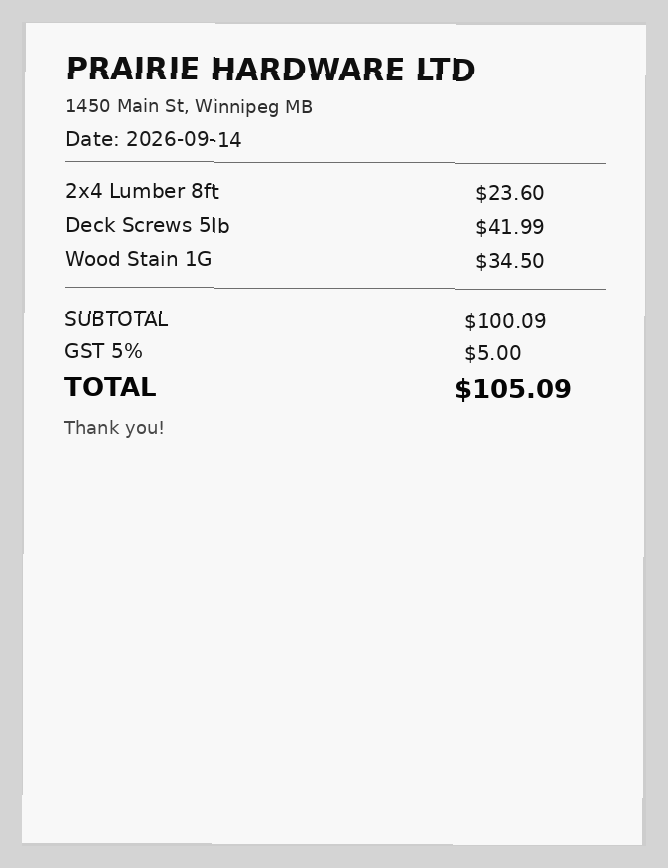
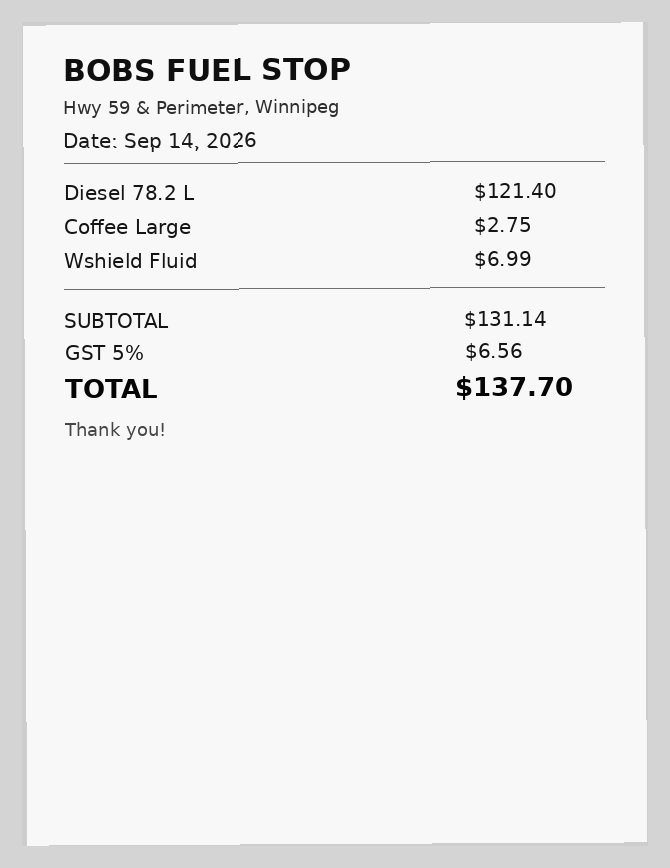
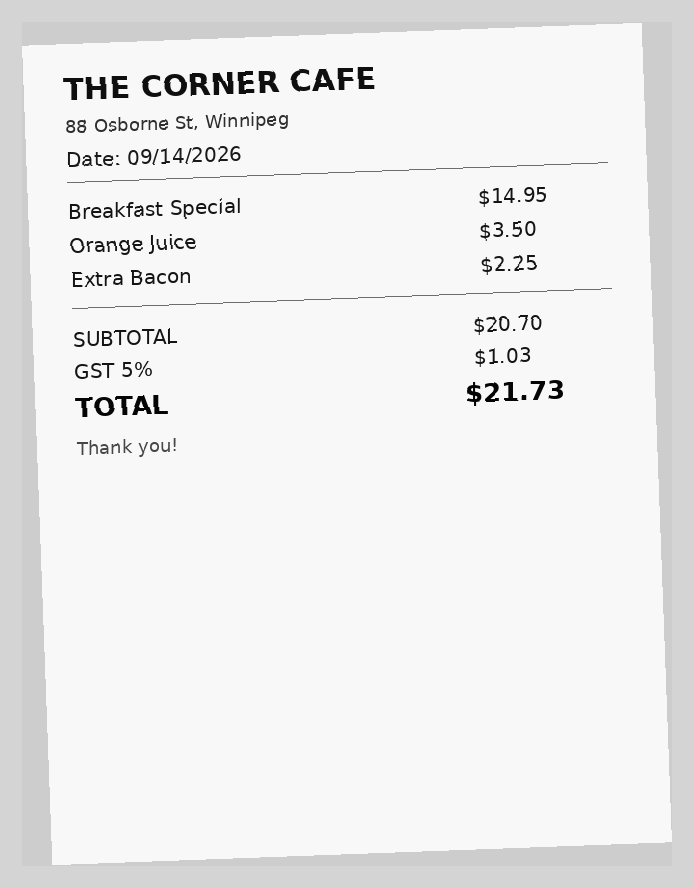
| Business | Date | Subtotal | Tax (GST) | Total |
|---|---|---|---|---|
| PRAIRIE HARDWARE LTD | 2026-09-14 | $100.09 | $5.00 | $105.09 |
| BOBS FUEL STOP | 2026-09-14 | $131.14 | $6.56 | $137.70 |
| THE CORNER CAFE | 2026-09-14 | $20.70 | $1.03 | $21.73 |
Real output, nothing typed by hand. When ReceiptSort can’t read a field with confidence it leaves it blank or marks the row needs_review. Always check the numbers. ReceiptSort works best on Canadian receipts in CAD.
How to use it
Open it. Pick receipts. Download.
Open ReceiptSort.
calasautomations.com/receiptsort/app works in the browser on Windows, Mac, iPhone, iPad and Android. Nothing to install. Add it to your home screen to use it like an app.
Pick your receipts.
Photos or PDFs, as many as you like. Each one is read right on your device — nothing is uploaded.
Check and download.
Fix anything marked “Check this”, then download one spreadsheet (CSV) for Excel, Google Sheets or your accounting software.
Private by design: your receipts never leave your phone or computer. The reading tool downloads once, then works offline.
Needs review
It will get some wrong. It marks the rows it knows it is unsure about, but always check the numbers.
Faded thermal paper, a crumpled photo taken in a truck, a receipt with three totals on it — when ReceiptSort isn't sure, the row is marked needs_review instead of quietly filled in. Check those rows against the originals. It's a sorter, not a bookkeeper, and it doesn't pretend to be.
Runs on your computer
- Nothing is uploaded. No receipts, no totals, no vendor names leave your machine.
- No account, no sign-in, nothing to cancel.
- The CSV is a plain file on your disk. Do what you like with it.
What free means here
- No support. If it breaks, you can email, and we'll fix what we can when we can — but there's no promise, and no phone line.
- No guarantee on the numbers. Review the flagged rows, and spot-check the rest before anything goes to the CRA.
- It won't categorize expenses or reconcile a bank statement. One CSV, that's the job.
For accounting and bookkeeping firms
Give it to your clients. It's free, and it's yours to hand out.
A shoebox that arrives as a CSV is a better shoebox. Send ReceiptSort to the clients who bring you a bag of paper every March, and get a spreadsheet instead. No referral fee, no catch — it costs us nothing to give away.
If the thing you actually want is clients who send their documents on time, without your staff asking three times, that's a different tool. It's called On File, and it's what we do for a living.
- Price
- Free
- Input
- A folder of receipt images and PDFs.
- Output
- One CSV. One row per receipt, plus a needs_review flag.
- Where it runs
- Your own computer. Nothing uploaded.
- Support
- None promised. Email if you like.
From the same shop
Free for your shoebox. Built for your whole office.
ReceiptSort is the free one — receipts in, spreadsheet out, on your own computer. On File is the paid one: it chases every document your business is still waiting on — certificates, sign-offs, client paperwork — kindly and on time, with a guarantee.
Get the tool
Download it. Email if it breaks.
The zip is free and needs no account. If something doesn't work, one call to Cara at 431-244-9026 reaches us — no promise on turnaround, but we'll fix what we can.